
Frequently Asked Questions
- What Company Do You Ship Through?
- Holiday Orders
- Tracking the Status of Your Order
- How Do You Package Your Canvases?
- How Do I Use UPS My Choice Services?
- Oversized/Freight Shipments
- What Countries Do You Ship To?
- How Long Does It Take For My Order to Arrive?
- How Do I Expedite My Order?
- Can I Ship to More Than One Address?
- Do You Ship to Canada?
- How Do I Resolve a Shipment Issue?
Accounts
How Do I Create an Account?
To create an account, all you need to complete is a simple email sign up. You'll then receive an activation email and have access to your account dashboard where you can access these features:
- Your Order History
- Order Tracking
- Saved Addresses
- View orders that you placed prior to setting up an account (if they were placed with the email address listed on your account)
If you need to change your email, or other information, for an order IN PROCESS please review your options here.
If you signed up for an account and are having trouble receiving your activation email, please check your spam folder. If the activation email is not in your spam folder please contact our customer service team, we are happy to resend it.
If you get an error saying that your account has been disabled please contact our team. You may have in the past applied for a legacy pro account and this may be affecting your ability to set up your account now.
If you need to change your email address, you can do so within your account.
How Can I Reset My Password?
To recover your password, you can enter your account email address and select the "Recover Password" link on the sign in page. An email will be sent to the entered email address immediately.
If you do not immediately receive your password recovery email, please check your spam folder. If the activation email is not in your spam folder please, please confirm that your email address was entered correctly and select the recovery option again. The email will be coming from service@canvasondemand.com, if your spam filters are strict you may need to add this address to your safe senders list. If adding our address to your safe sender's list does not resolve the issue please contact our customer service team.
If you get an error saying that your account has been disabled please contact our team. You may have in the past applied for a legacy pro account and this may be affecting your ability to set up your account now.
Orders
How Do I Place an Order?
The easiest way to start building your print is to click the type of product you're interested in along the top bar. From there, you'll be prompted to select an image from your device, choose a size, add additional options, and select from a few extras. If you'd like something other than a Canvas Print, click on the "Products" tab to choose from Framed Prints, Acrylic Prints, Metal Prints, Posters, or Tabletop Canvases.
Another way to begin your order is to click on "Print my Photo" at the top of our homepage and select the product you'd like to create!
Whichever way you choose to get started, you will be guided through an easy, step by step process to creating your print.
If you're using a voucher from Groupon or Living Social, simply visit http://www.canvasondemand.com/redeem and enter your redemption code, then click "Continue"!
What Size Canvas Would Look Best?
Wondering what size canvas to display in your space? We're here to help! Canvas On Demand offers an incredible variety of canvas prints sizes. From a petite 8”x 8” canvas up to 32"x48”, we can create the perfect custom canvas print to fit your photo. All you have to do is find a photo you want to enjoy and we'll take care of the rest. But one of the questions the team at Canvas On Demand often gets is “what size would look best?” and without going into everyone’s homes to scope things out, it’s hard to know what to suggest.
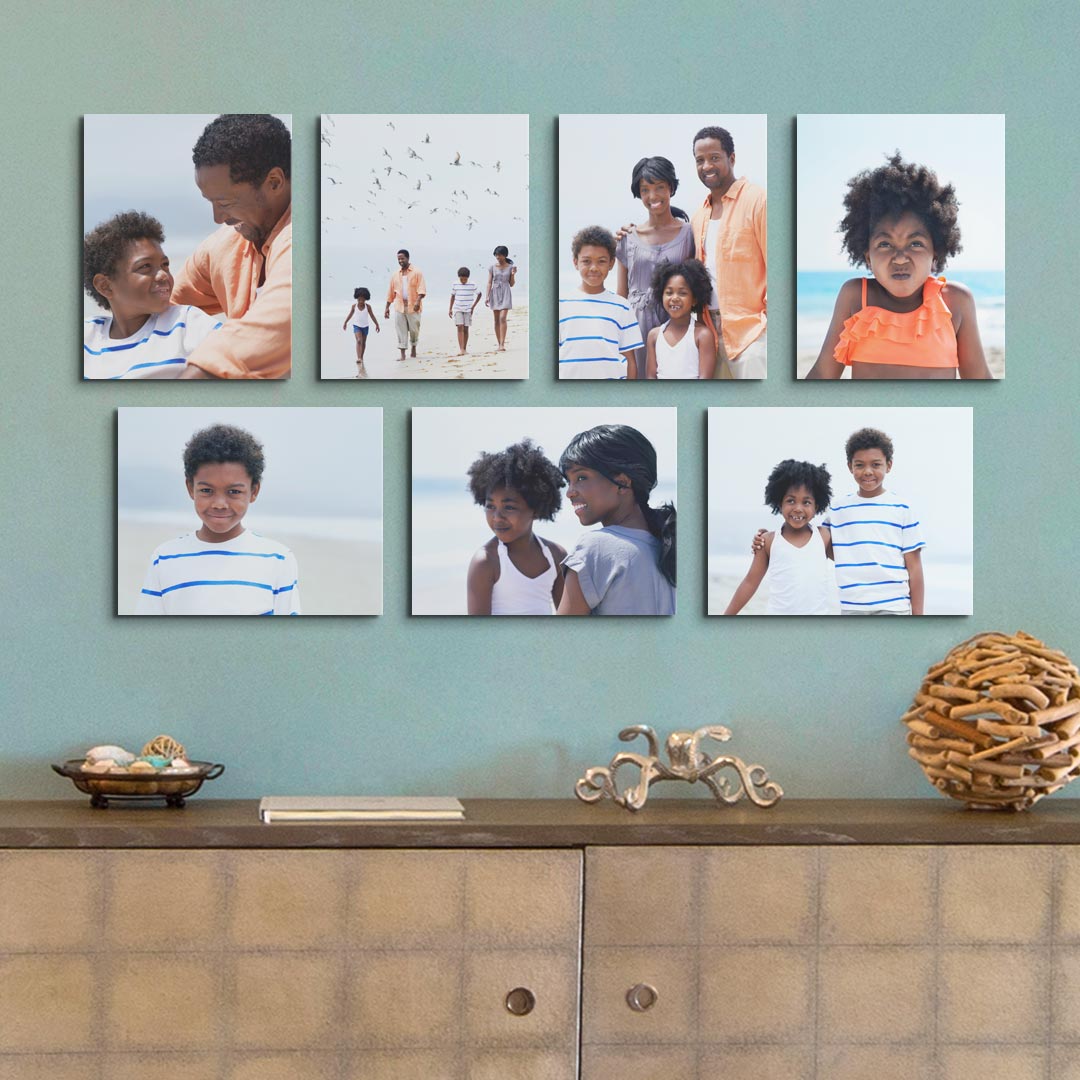
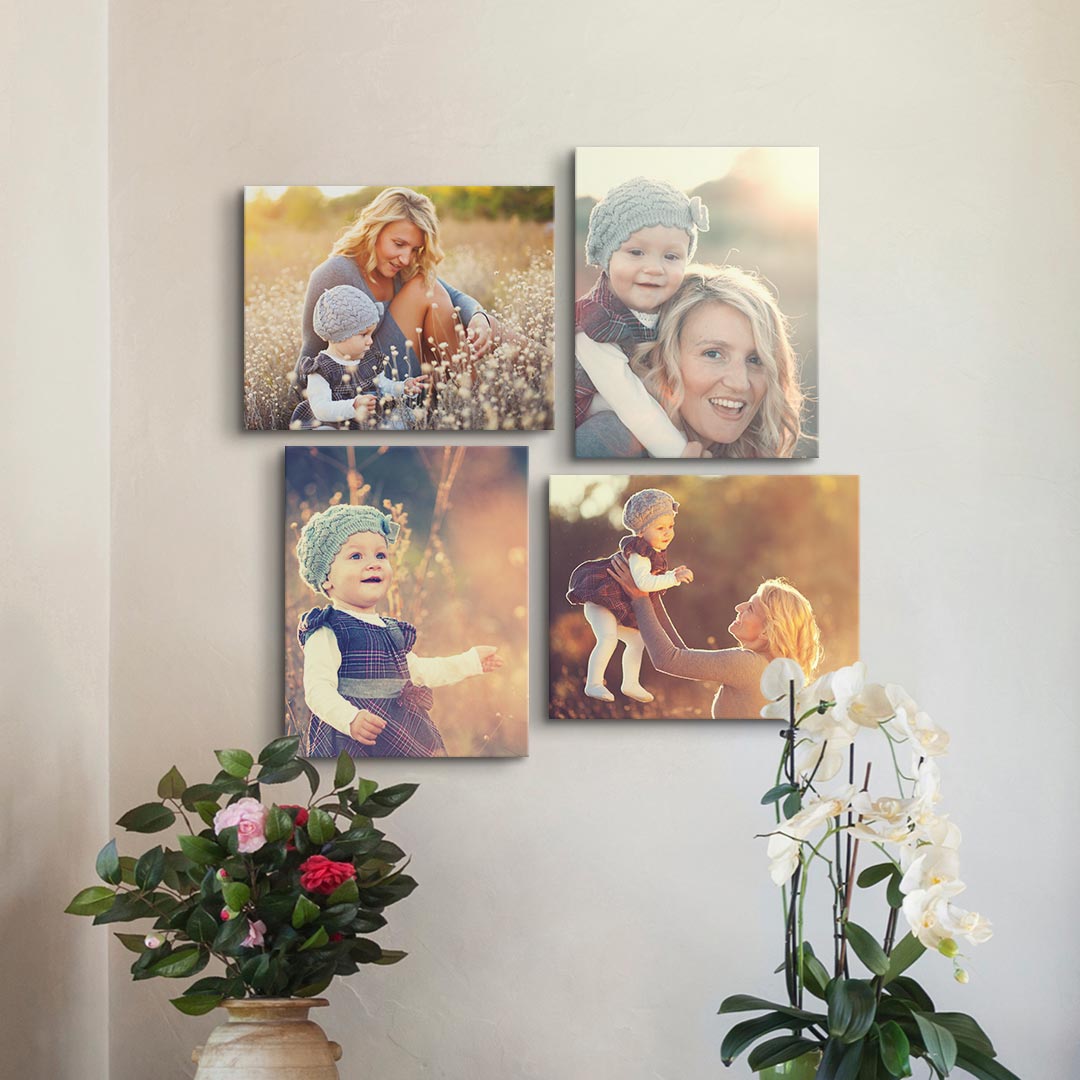
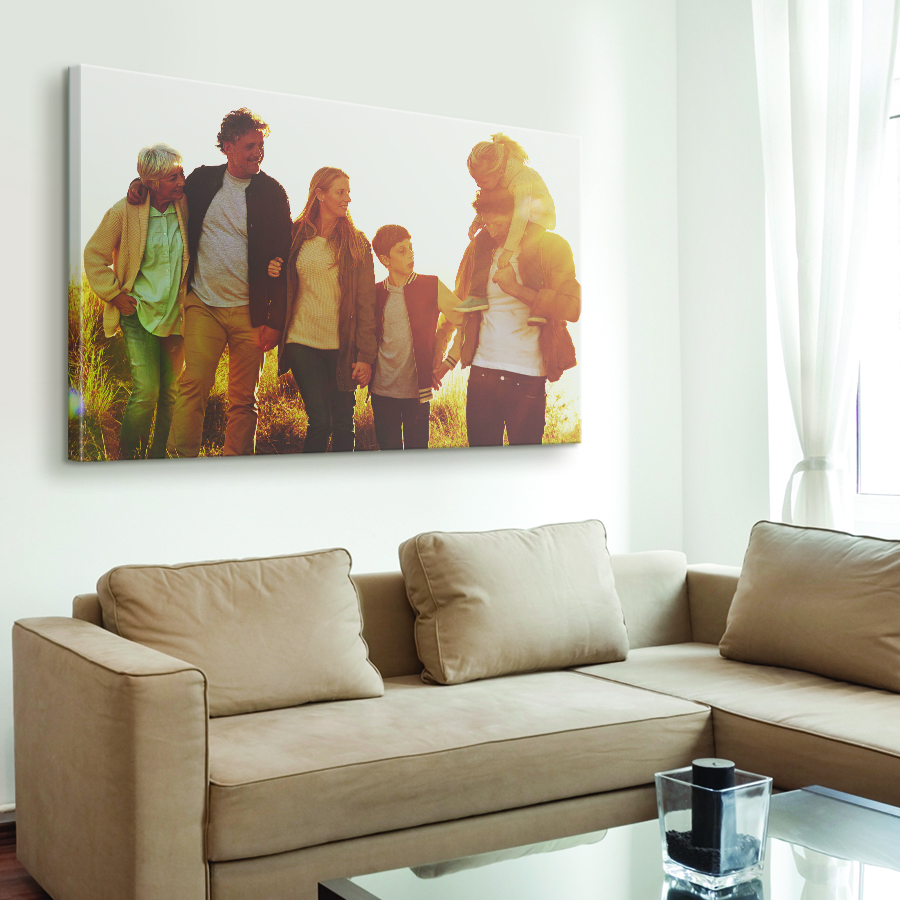
There are a lot of factors that go into choosing a size for your photo-to-canvas print, like the quality of your photo, but one of the most important things to consider is how it will look on your walls. Take a peek at how each of Canvas On Demand’s most popular canvas sizes looks when displayed:
11" x 14"
This canvas size is great if you are planning on creating a gallery wall or simply have a small space to work with. It’s large enough to get noticed but understated enough that it won’t overpower the rest of your decor.
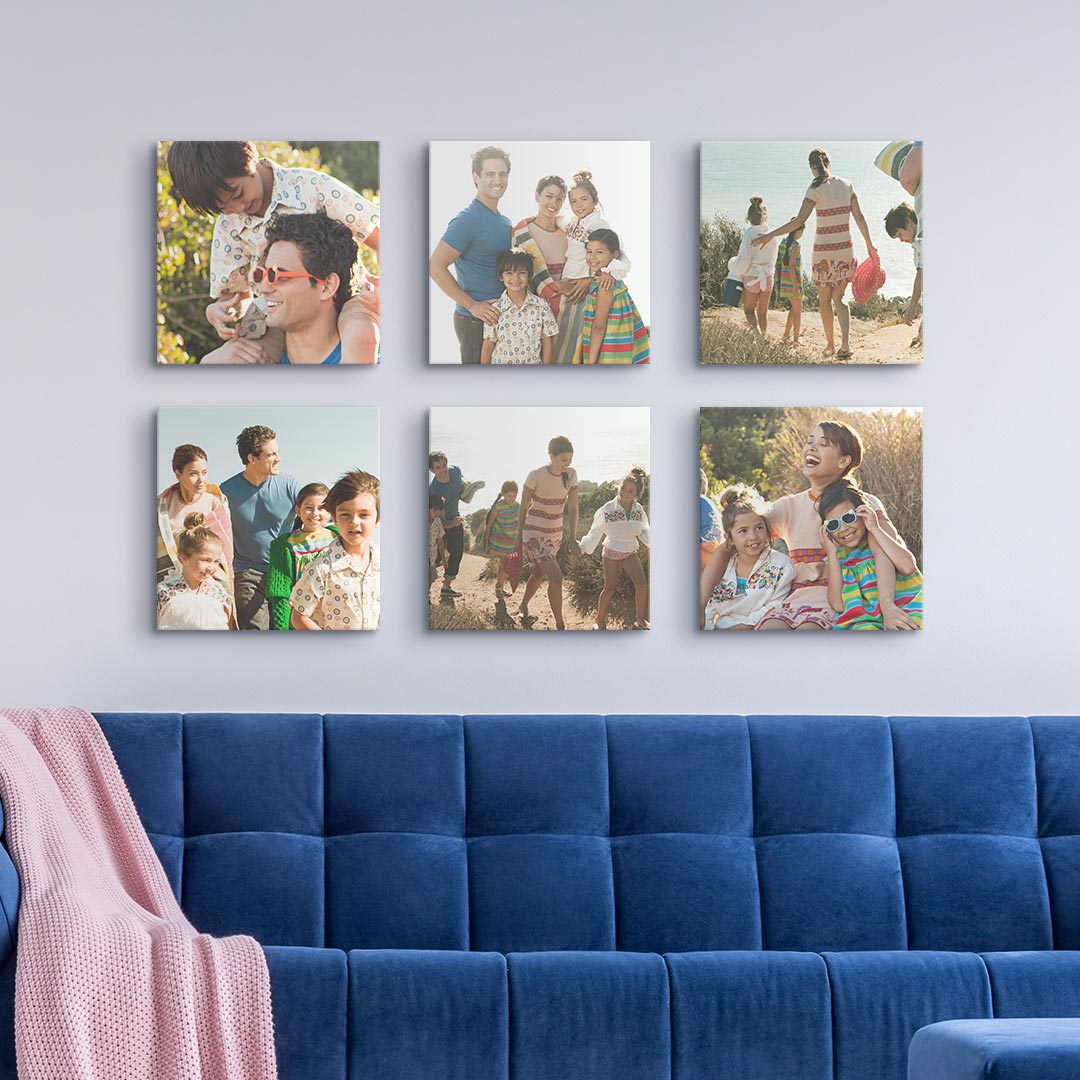
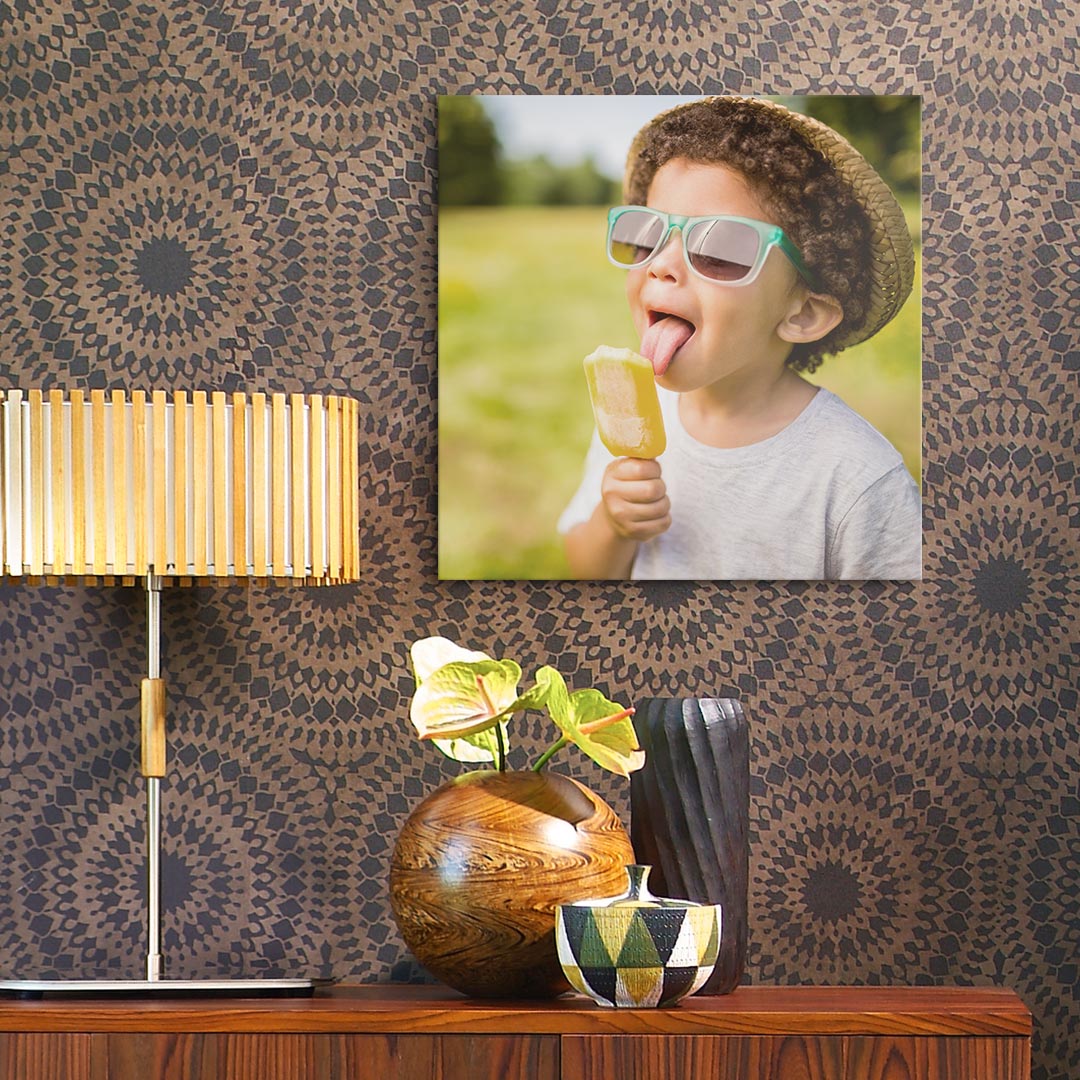
12" x 12"
With Instagram growing each day in popularity, it’s no wonder this canvas size is also having a moment. Perfect for fitting your like-able photos, 12 ”x 12” prints can be effortlessly styled individually or in groups.
16” x 20”
This size is hands down the most popular size for canvas prints and for good reason! It’s a versatile size that can truly make your most valuable memories pop alongside the rest of your decor. Like many of the other sizes of canvases offered, 16" × 20" prints look wonderful on their own but even better in pairs or in a gallery wall.
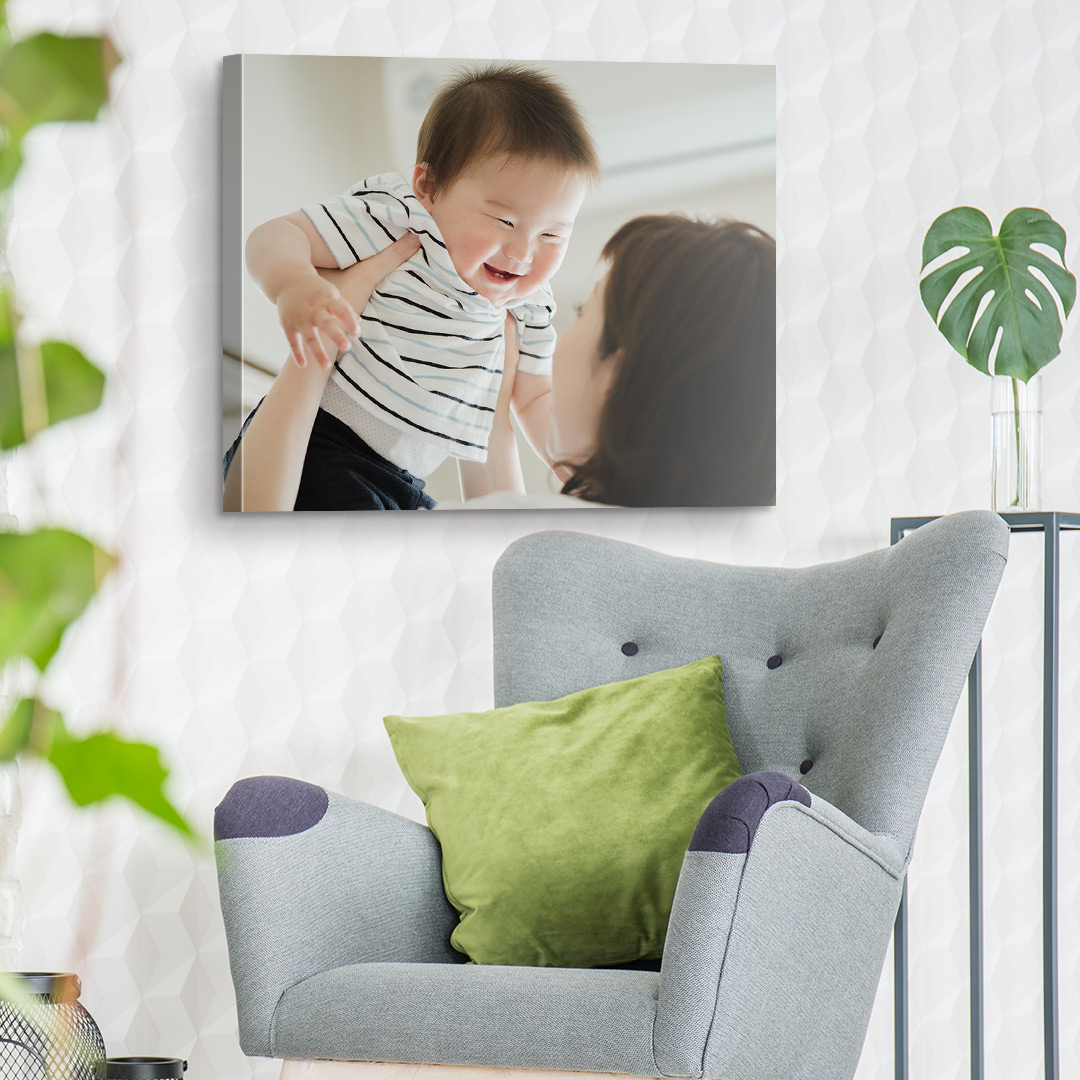
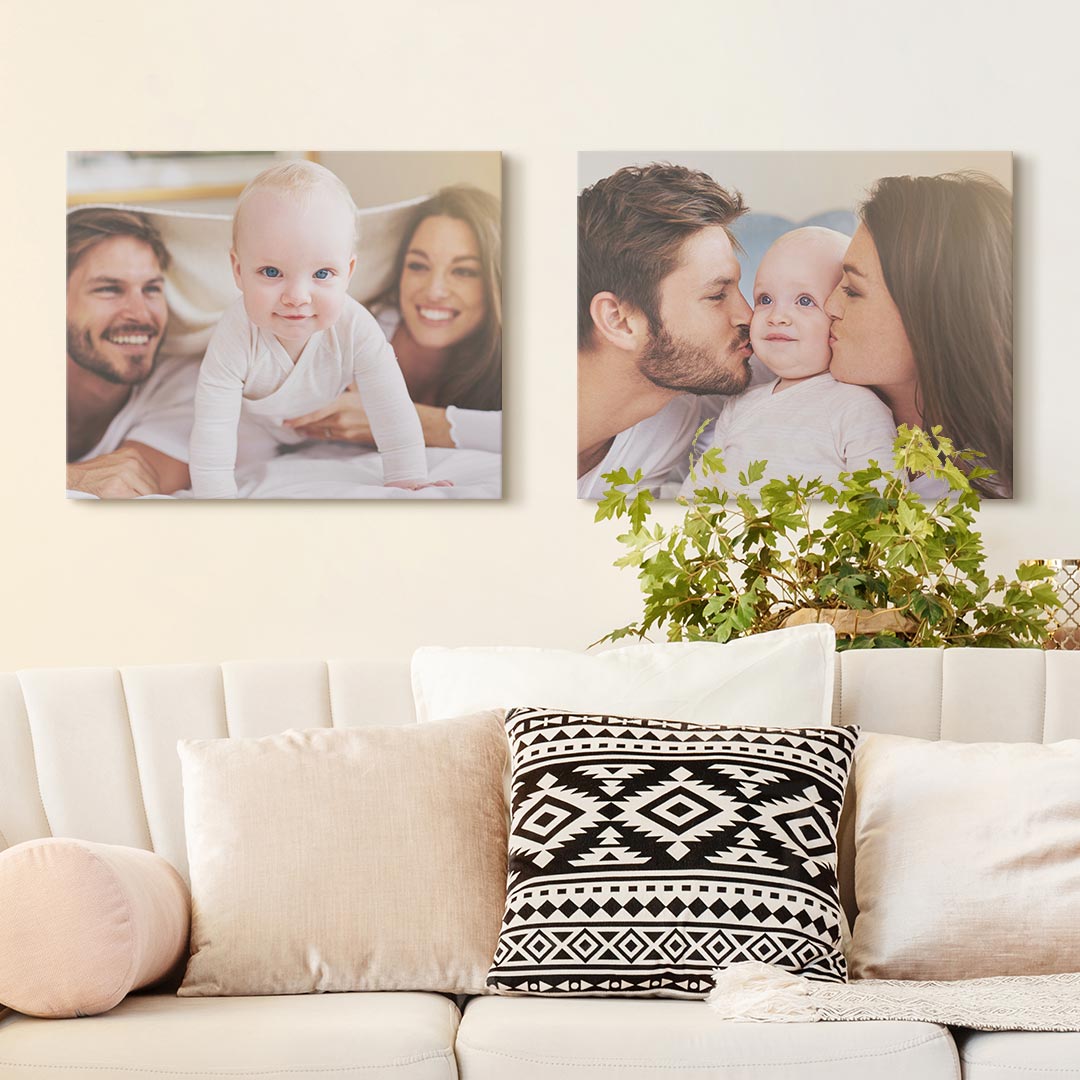
24" x 36"
Perfect for the area behind the couch or any large space that needs a dose of style, 24” x 36” prints are just what you’re looking for. Because of their larger size, these prints often work best in places where they’ll be able to breathe on their own.
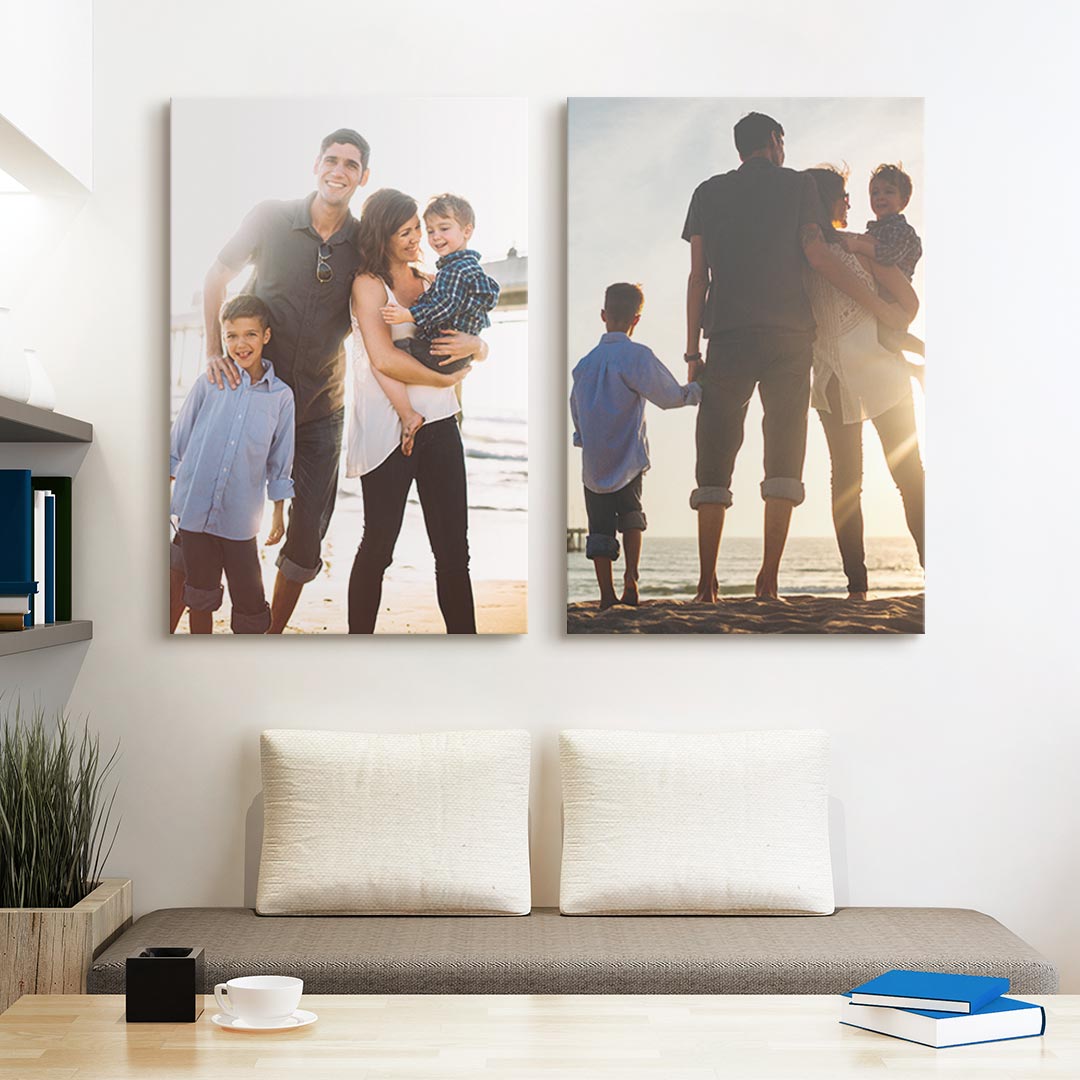
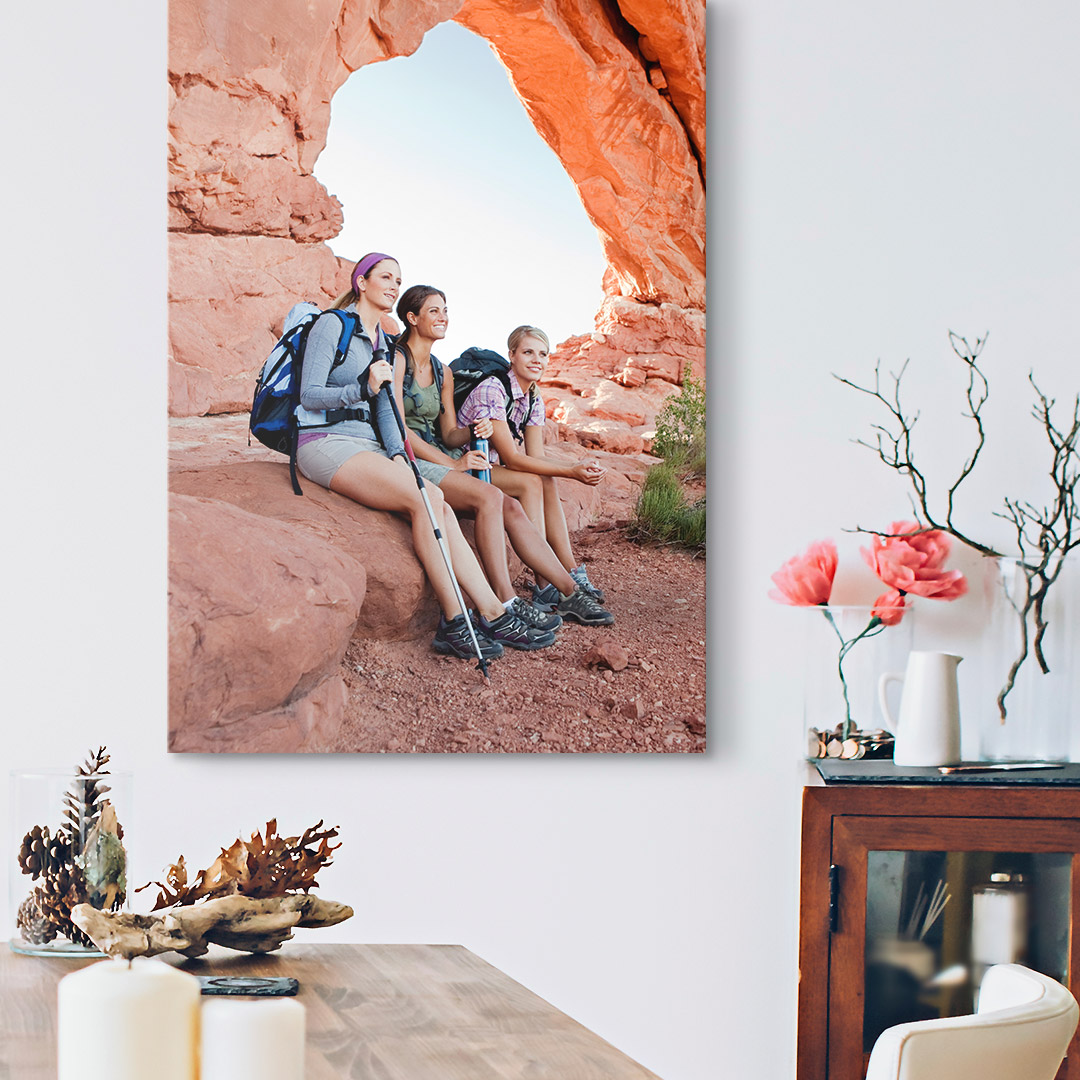
32" x 48"
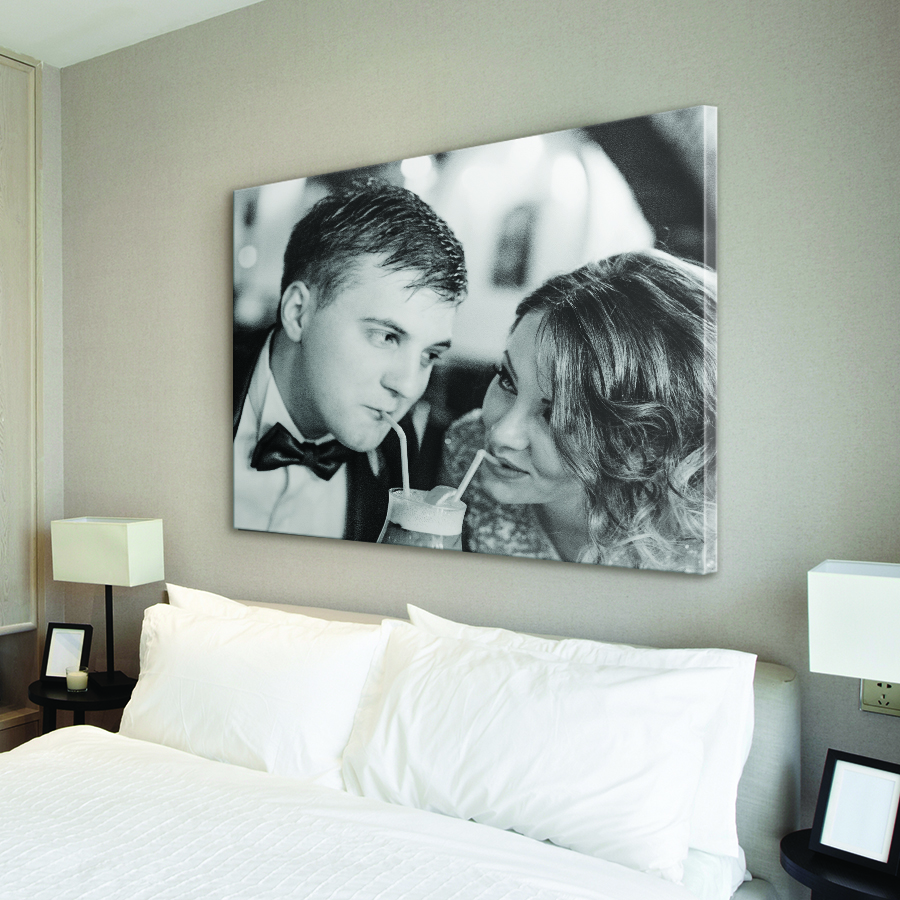
Got a huge area in your home that feels overwhelming to decorate? 32” x 48” canvas prints have you covered. These oversized photo to canvas prints are the perfect finishing touch for the space above your bed or big areas that need a big statement piece.
How Do I Apply a Promotional Code?
Usually, our onsite promotion will automatically be applied to your purchase! Once in the shopping cart, you will see your coupon deducted from the subtotal. If your coupon was not applied or you'd like to use a different code, you may click the link that says "Have a coupon code or gift card?" and enter your desired code. Our site will only accept one code per order.
Products
How Do I Clean My Canvas?
Typically your canvas will just need a light dusting every now and then. If you find that you need to spot clean the canvas, use a damp cloth that has only water on it. Chemicals can react with the ink and ruin the canvas.
Are Your Canvases Giclée Quality?
Yes, we print using archival inks onto an artist-grade canvas that is stretched and stapled over a solid wood stretcher bar. The canvas comes with hanging hardware already attached so that it's ready to hang right out of the box.
All of our canvases do have a UVB protectant to protect against fading, moisture, and abrasion.
Premium Canvas Advantages
- Warp resistant frame
- Pre-installed hardware
- Lightweight
Does My Canvas Come With Hardware?
We include a saw tooth hanger at the top of your Canvas Prints for easy hanging and an additional hanger on one side to give a second option for the orientation.
Can I Add a Frame to my Canvas Print?
We offer multiple frame options for our Canvas Prints.
After uploading your image and selecting your size, click on the "Options" tab in the builder. There, you'll have the choice between a Black, Walnut, White, Natural, Gold or Silver frame at an additional cost.
Where Should I Hang My Art
All mediums of art we offer (canvas, framed prints, acrylic, metal etc.) are recommended for indoor, climate controlled environments.
They can be displayed in bathrooms, sun rooms, or near windows without concerns of fading due to UV protective coating.
We do not recommend hanging any art outdoors or where there may be any exposure to the elements.
Image
Why Doesn't My Whole Image Fit?
Aspect Ratio
Images can come in a wide range of aspect ratios, which is the main reason for why an image will not fit as intended.
Aspect ratio is "the ratio of the width to the height of an image or screen". Most pictures are taken in an aspect ratio of 4:5 aspect ratio (which translates to 8x10, 16x20, etc). With panoramic shots or cropped images, this can change the aspect ratio.
Changing the Aspect Ratio
We cannot change the aspect ratio on images, short of cropping them. When uploading your image you may see it doesn't fit the entire picture on the canvas.
This image of a map of the United States is a great example!
This was uploaded for the 16x20 size, but you can see that it doesn't fit completely. A bit of both the left and right sides are cropped off. We can move it over one way or the other, but then it will crop off more of the opposite side. We cannot "grow" the area, or zoom out, as there is no extra space above or below, so there is no image to take up those areas.
Pictures in Frames
A good way to think about it is a picture in a frame. When getting a frame, you always want to get the perfect size for your image. If you have a photograph that is 8x12, an 8x10 frame will not fit because it will crop the image out of the frame. If you get a frame that's too large (such as a 10x12), it will fit lengthwise, but then there is that extra space above it that the photograph cannot fill (as there is no more photograph).
The frame, like the canvas, needs to fit the aspect ratio of the image.
What Can We Do?
A picture can certainly be manipulated to fit a certain aspect ratio, but none are ideal solutions:
Cropping - This is what our site offers, and will crop the image to fit the aspect ratio of the size you have chosen
Squashing/Stretching - This is not something we offer, and is not recommended. This would be to either stretch the image or squash it to fit the new size. It can result in things looking unnatural (especially when blown up to print on canvas). This editing can also cause pixelation to the image, due to editing.
New Size/Image - This is the ideal solution, finding the size that perfectly fits your image (or the image that perfectly fits your canvas size.
What is the Best Type of Image or File to Use?
Most images will work great! Images from Facebook, Instagram, and cellphones make great prints!
We can accept the following types of files:
- .jpeg or .jpg
- .tif or .tiff
When uploading your image, if the size is too small you will receive a message to upload a new image. If you receive a low resolution warning, you can view our image troubleshooting guidelines here.
Other photo types:
PDF File-If you have a PDF file for printing, you will need to convert it to a JPEG or TIFF file format to upload and order. Many photo editing applications can do this, as well as several free online converters.
Physical Print-If you have a physical photograph you want to use, we recommend having the image scanned as a jpeg file at a resolution of 600 DPI in order to get the best quality photo to us. Your local printing company, FedEx Kinko's, or Office Depot are some of the places where you can get your image scanned.
Negative-If you have a negative you would like to print, we recommend contacting your negative to a local photography shop and having them create a digital file for you.
How Will I Know if My Image Will Look Good or Has High Enough Resolution?
We want to make sure that your image is going to look great printed at the size you selected! We provide a few options to ensure the best possible print.
File Size / Image Resolution:
If the size of your image file uploaded is too small you will immediately receive a message stating, "We're sorry, but your image is too small for the selected product size. Please replace the image or choose a smaller product size."
If you don't receive an error message after uploading your image, then the file size is passable (however this does not guarantee a clear image, as our uploader only checks the file size).
Blurry, Grainy, or Dark Image:
If you are concerned about other types of image quality issues, we recommend selecting our Professional Review service to have an artist personally examine your image and provide any needed enhancements.
- Examination of your image for quality issues such as blur or grain.
- Adjustment of brightness, contrast, and sharpness as needed.
- Personalized assessment of your image sent via email.
- Highly recommended for darker or heavily shadowed images.
What Color Profile Do You Use?
All of our images are printed in the color space Adobe RGB.
An embedded ICC profile of Abobe RGB will ensure accurate color when printed.
What is the Recommended File Size and Pixel Specification
The size of your file is a helpful measurement to determine how large we can make a print without it becoming distorted or pixelated.
Below are the recommended file requirements in order to produce a high-resolution print with good clarity.
Size guidelines for some of our standard sizes
(These are general size guidelines, please note that if the image is out of focus, grainy, or low-resolution files where the resolution has been manually increased the image may not work.)
|
Canvas Size |
Min File Size |
Min Pixels |
|
8 x 10 |
100kb |
640 x 800 |
|
11 x 14 |
200kb |
720 x 960 |
|
16 x 20 |
1Mb |
641 x 960 |
|
20 x 24 |
1.4Mb |
1080 x 1920 |
|
24 x 36 |
1.5Mb |
1448 x 2170 |
|
30 x 40 |
3Mb |
1200 x 1600 |
|
40 x 60 |
4.5Mb |
3456 x 5184 |
Can I increase the resolution of my small file?
We have found that increasing the resolution of a small file does not typically enable us to successfully enlarge the image. Our experience is that the file is still soft or pixelated when we attempt to enlarge a file where the resolution has been manually increased to the desired canvas size.
Your best bet is to investigate if you have the largest file available. If you do have the largest size available, your options are adjusting to a smaller canvas or sending a new image.
How do I check my file size?
Knowing your file size will help to troubleshoot whether or not your image file is the optimal size for enlarging onto canvas. File size can help indicate whether or not you have the largest version of your file available.
Android Phones
- Open up the app, Photos, or Gallery.
- Select the photo with a single tap
- Tap on the “I” icon at the bottom of the screen to bring up the image’s info
- Right below the file name (usually a string of numbers with .jpg at the end) it will list three sets of numbers: The first set will be the megapixels (example: 12.2MP). The second will be the dimensions in pixels (example: 3024x4032). The third is the file size (example: 3.2MB)
Windows Computer
- Locate the image file through Windows Explorer
- Right-click on the image and select Properties.
- The first tab displayed, General will show the file size of the image, as Size, right below Location.
- To find the pixels, first, click on the Details tab.
- Under the Image heading, the Dimensions will be listed in pixels.
Mac OSX
- If you have a 2-button mouse, right-click on the image file. If you have a single-button mouse, “control-click” on the image. This will bring up a menu box.
- Click on “Get Info”.
- The file size will be listed in the top-right of the box.
- Pixel size will be listed under the “More Info” section as “Dimensions”.
iPhone
To check the file size on your iPhone you will need to do a little bit of a workaround, as there is no quick and easy way that we have found to check the file size.
- Click on the “photos” app
- Select “Photos” at the bottom left of the screen
- Scroll through and choose your desired photo
- Click the square box that has an up arrow located in the bottom left corner
- Choose to mail your image
- Compose an email to yourself (please note that you will not actually need to email your image)
- A pop-up menu will appear, listing the options for how to send the image. Look for the “actual size” listing, this gives you the size of the file!
- Once you have the file information you can cancel the email. You will need to select cancel on the size pop-up and cancel on the new message. You may need to delete the draft as well, and then cancel sharing your photo in order to get back to the main screen of the photo app.
You can also install a third-party app to check the size for you. Please note we are in no way affiliated with this third-party app and are citing it as an alternate way to check your file size. If you choose to install this app then you will be agreeing to their terms and conditions which are separate from ours.
- Open up the App Store and search for a free app, Photo Investigator and install it.
- Launch the program, and allow it access to your photos.
- Tap the photo library icon at the lower-left corner of the screen to bring up your photo albums.
- Select the photo album that contains the photo.
- Tap on the photo for which you’re wanting to find details.
- A page will come up with the photo’s details, including File Size, and the pixel size for width and height.
Pixelated Image Due to Small File or Low Resolution
Pixelation occurs when we enlarge an image and the individual square pixels that make up an image are visible. It is the result of the file size and resolution being too small for the size of enlargement you selected.
To identify the root cause of the small file size, we need to look at the source of the image.
How do I fix my image so it’s not pixelated?
You will first want to check and make sure you are using the largest version of the file available. If you are using the largest version of the file then you may need to find an alternative image to use. Check out our "Recommended File Size and Pixel Specification" page for more information on file size.
How will I know if my new image will work?
If the size of your image file uploaded is too small you will immediately receive a message stating, "Sorry, the image you uploaded is not large enough to print at this size. Please upload a larger image."
If you don't receive an error message after uploading your image, then the file size is large enough to print sharp and clear at the print size you selected.
If you need to upload a replacement image then we recommend checking out our "Uploading A Replacement Image To A Current Order" page.
Shipping
What Company Do You Ship Through?
We ship with UPS. Our domestic orders are typically shipped via UPS Ground, or UPS SurePost, depending on the size of the piece. Most canvases and framed prints will go UPS Ground.
If you have a PO Box please make sure to read the following information carefully. For our smaller pieces we sometimes ship via UPS SurePost which can be delivered by the USPS. Currently this would typically happen for a canvas around the size of 16x20 or our products that are sent in tubes, poster, photographic print & wall peels. If you have a PO Box please provide the PO BOX number as well as the street address to ensure that there will be no issues delivering your package. If USPS does not deliver to your address at all please inform us this at the time of your order.
*Extremely Large canvases that are considered oversized ship via a Freight carrier. Freight does require an appointment for delivery, which our Freight carrier will coordinate with the recipient. In most cases, someone must be at home to sign for the package.
*International customers please note: We cannot deliver to a PO Box for international orders. We require a physical address that UPS/FedEx will deliver to.
Holiday Orders
We're so proud to have the opportunity to turn your favorite photos into custom art and beautiful gifts this year and every year.
We wanted to give some tips and let you know what we're doing to help you get your beautiful art in time for the holidays.
- Order sooner rather than later. Many people continue to shop online this year, which can create longer turnaround times for our handcrafted custom prints. The sooner you get your order in, the sooner our team can get to work!
- Check the estimated delivery window - twice. During checkout, all orders are given an estimated delivery window. Many factors go into this time frame ranging from how long it takes us to make your custom art (each product is a little different) to your selected shipping method. We've hired new team members to get your order out the door as quickly as possible.
- Pick the delivery option that's best for you – there are 2 choices. We're working hard to make sure this information is up to date. Our shipping partners have asked that we let our customers know that this is their busiest time of the year.
- We've got your back. Canvas on Demand is communicating relevant holiday information across email, social, and the website. Our customer service team is fully staffed to help answer all your questions and make holiday shopping easier.
- Give the gift of choice. If you're unsure what photos to print or are out of time, a Canvas On Demand e-gift card can be the perfect solution. They are delivered the same day to your loved ones' inboxes.
Tracking the Status of Your Order
You can easily track your orders when you are signed in to your account via the My Account tab. The "My Account" tab, is located at the top of our desktop site or under the drop-down menu on your mobile device.
Once you are signed in your recent orders can be found via the "Account Information" page or via the "Order History" page. The track button will take you to a summary of your order that shows each item in your order and its individual status. Once your order ships a link to track your package will appear if available.
If you do not have an account then you can still track your order via our Order Tracker page. You will need your order number and the email address that was used to place the order.
How Do You Package Your Canvases?
Canvases come packaged securely in our custom made shipping boxes, designed specifically to cradle your canvas and prevent damage during travel. Your order is shipped as each piece is completed, so it is possible that each item will ship separately. If you have multiple items on the order, they may ship in different boxes on different days.
How Do I Use UPS My Choice Services?
UPS My Choice is a service provided by UPS that gives the customer with more insights and control over the shipping of their packages.
- View the status of a delivery
- Change the shipping address of a package in transit
- Schedule a delivery time for a package
- Hold a package at a UPS location
- Provide instructions for driver
Click here to sign up for UPS My Choice
The service is free to sign up for, but some of the options may require a fee.
What is UPS My Choice?
You shouldn't have to worry about whether or not you'll be home when deliveries arrive.
What you need is a way to manage all your eligible UPS home deliveries prior to the first delivery attempt--that's UPS My Choice®.
Always Know the Status of Your Deliveries
Get proactive notifications about home deliveries with UPS My Choice delivery alerts.
You also have access to the UPS My Choice delivery planner where you'll get a day, week, or month view of incoming UPS packages--making it even easier to manage your home deliveries.
Enhance Your Home Delivery Experience
When you become a UPS My Choice Member, you choose where and when eligible UPS packages will be delivered. No more annoying missed delivery notices.
With a UPS My Choice Membership you decide how much control you need when it comes to managing your home deliveries. If you're not going to be home to receive a package, you can reschedule your delivery for another day, or you can even redirect your package to a convenient location.
Note: After you successfully complete the registration process, you may have to wait up to five minutes before you can reroute or reschedule the delivery of your package.
Oversized/Freight Shipments
If some or all of your order qualifies as a freight shipment, then it will be delivered by a freight carrier. Your order will require a scheduled delivery and the freight carrier will call you to set up this appointment about 3-5 business days after your order has shipped.
Since an appointment is required for delivery, please make sure that the shipping address and contact telephone number you entered are correct. If the carrier is unable to reach you to arrange delivery, they may have to place the item on hand and storage costs may begin to accrue.
If you are aware of any hindrance for a semi-truck/tractor trailer to make the delivery to your address, please update the address or reduce the size of your item(s) accordingly. Once your order has shipped, any incidental charges you incur (such as address change, storage fees or inside delivery) will be at your cost.
What should you expect when your order has shipped?
- You will receive a phone call from the freight carrier to set up a delivery time, so it is extremely important that the contact phone number on your order is valid. You must set up a delivery time in order to receive your package. A missed call will result in possible delays. Delays due to the carrier's inability to reach you may result in the accrual of storage fees.
- When your canvas is delivered, the driver will unload the crated canvas(es) from the truck for front door delivery. Unless otherwise noted and paid for on your delivery, the driver will only provide front door delivery. If you need any additional services*, please let us know immediately. There will likely be costs associated with these services.
- Upon delivery, if there is any noticeable damage due to delivery and handling, please refuse the package and contact us for a replacement.
Items are eligible for freight if they meet the following requirements:
- They are greater than or equal to 61" width and 41" height. (Or 41" in height and 61" in width.)
- They are greater than or equal to 48" in width and height.
- They are greater than or equal to 70" in width and 26" in height. (Or 26" in width and 70" in height.)
- They are 80" in width or height.
- The order contains 20 or more pieces.
What to expect once your freight order has shipped:
• You will receive a phone call from the freight carrier to set up a delivery time, so it is extremely important that the contact phone number on your order is valid. You must set up a delivery time in order to receive the canvas. A missed call will result in possible delays. Delays due to the carrier's inability to reach you may result in the accrual of storage fees.
• When your canvas is delivered, the driver will unload the crated canvas(es) from the truck for front door delivery. Unless otherwise noted and paid for on your delivery, the driver will only provide front door delivery. If you need any of the additional services such as inside delivery, please let us know immediately. There may be additional costs associated with inside delivery.
• Upon delivery, if there is any noticeable damage due to delivery and handling, please refuse the package and contact us for a replacement.
*If you need any of the additional services listed below, please let us know immediately upon placing your order so that we can provide you with a quote:
Inside Delivery- The carrier will bring the item into your home or building
White Glove Service- The carrier will unpack the item from the crate(s), bring it into your home or suite, and remove packaging debris
Pup Truck- A shorter truck will be used to complete delivery
What Countries Do You Ship To?
We ship to the following locations:
- United States
- Canada
- Australia
- New Zealand
- United Kingdom
Shipping prices are quoted in the shopping cart based on your items and location. Orders will ship from one of our facilities that is closet to your location.
How Long Does It Take For My Order to Arrive?
All of our prints are custom-made once your order is placed.
You will be able to choose your preferred arrival date at checkout based on the method you select.
Freight size canvases and large quantity orders may take longer to produce. Transit times depend on your location and the method selected.
If you need your print sooner than the estimated delivery date, please contact us and we will be happy to see if we can accommodate your request. Please note that there may be an additional fee to expedite your order.
We are unable to "hold" an order to ship at a future date. The arrival window will be determined by the shipping method you select at checkout.
How Do I Expedite My Order?
If you need your order fast, we recommend selecting our EXPRESS shipping option at checkout. EXPRESS shipping can have your item delivered in just a couple of days, depending on your location!
Please note that shipping options may vary based on product type and destination.
Can I Ship to More Than One Address?
At this time, our site can only accept one address per order. If you want to send canvases to more than one address, you will need to place a separate order for each address. The cost for the shipping on multiple orders compared to the cost of accommodating more than one address per order would be the same.
Do You Ship to Canada?
We do ship to Canada! We even cover all of the taxes and tariffs associated with your order. The only charge that you should incur is the cost of the product plus the shipping that you pay at checkout. Since shipping cost depends on several factors (canvas size,quantity, etc), we recommend adding the canvases you want to your shopping cart, and then you will see the total shipping rate before entering payment information.
Please note that our website pricing is in USD.
For shipping to other countries, please note that when choosing international shipping at check out that the cost is “TBD” or “to be determined” and will show as a 0 sum.
We will contact you with a quote for shipping once the order is received and processed through our system.
How Do I Resolve a Shipment Issue?
We are happy to help resolve any issues that may have happened during shipping. If you have any questions with a shipping issue we'll be happy to help, please feel free to contact us.
Lost Packages
A package is considered lost if
- The tracking status has not been updated in more than 5 business days.
- The carrier has marked the status as lost.
Damaged Item
- If your artwork doesn't arrive in perfect condition, just let us know and we will print a new custom piece for you.
Wrong item
- If you received the wrong item, please let us know so we can quickly print and ship out the correct artwork.
Replacement Request
Please click here to request a replacement for any of the reasons above. Be sure to include the order number, a picture of the issue (if applicable), as well as a description of the issue.
Policies
Who is Canvas On Demand?
In 2003, Canvas on Demand launched with a single vision: helping your family commemorate favorite memories on custom, hand-crafted canvas prints to display at home for years to come. With 18 years of canvas crafting under our belts, we've expanded far beyond this vision. We have grown to help you create a custom framed canvas, framed fine art prints, posters and so much more.
As fellow memory-keepers, wall art enthusiasts, and skilled craftsmen, we are constantly creating innovative solutions to better our products, services, and online shopping experience to help you cherish your memories for years to come.
Do you have a photo memory longing to be featured in your home? Get started with a canvas print today!
Our team is located in Raleigh, North Carolina. To reach us, click here.
Learn more about us!
Connect With Us!
Do You Provide Donations or Work With Charities?
Canvas on Demand is committed to community involvement by providing donations and volunteering time with local organizations, like Ronald McDonald House of Durham & Wake.
Click on the article below for more information about our ongoing Coloring Canvas Program with Ronald McDonald House of Durham and Wake.
Coloring Canvases Give Families Comfort and Hope at the Ronald McDonald House of Durham & Wake.
We are not accepting new donation requests at this time. However, check back to this page for more updates on our latest community involvements and any new programs.
What is Your Return and Exchange Policy?
If you are not completely satisfied with your canvas, please let us know so that we can work with you to fix the issue.
We want to make sure that you LOVE your canvas!
What if my order arrives damaged or defective?
Any order that doesn't arrive in perfect condition, either from a flaw in printing or physical damage, will be replaced immediately at no cost or hassle to you. We offer a one-year guarantee on the quality of our canvas materials. There are NO restocking or return shipping fees to replace your prints.
Click here to submit your replacement request
Please include:
- Order number
- Description of the problem
- Attach a photo of the issue
What if I just don’t LOVE my canvas?
If the print you ordered isn’t perfect for your space or you are unhappy with the results, we would love the opportunity to work with you on a resolution.
EXCHANGES: The amount of your item excluding shipping will be credited back to you in the form of a voucher to exchange for another print at your leisure.
REFUNDS: We will refund your order at the cost of your original shipping. If you wish to receive a refund for your item, please reach out to us via the form below to start your Return. Shipping is non-refundable, and we don’t require you to ship anything back to us.
Click here to start your return or exchange
Please include:
- Order number
- Description of the problem
- Attach a photo of the issue
A returns specialist will contact you back with your options.
Do You Charge Sales Tax?
Sales tax is based on the shipping address and country. We are required to charge sales tax on orders shipping to all states except: AK, DE, MT, NH, NM, and OR.
If you live in Alaska, Delaware, Montana, New Hampshire, New Mexico, or Oregon, but are shipping to a state that charges sales tax you will be assessed sales tax.
What Should I Know About Copyrights?
What is a copyright?
A copyright gives its owner the right to copy, distribute, publicly display or create derivative works from the original work. A copyright also gives its owner the right to license those rights to others.
How do I know if my photograph is protected by copyright?
A photograph is copyright protected from the moment it is created. This means that even if you purchase a print or digital file from your photographer, you still need to talk to them about making reproductions from that item.
How long does a copyright last?
The current copyright term is the life of the creator – in this case, the photographer, plus an additional 70 years.
Important Notes About copyright:
- Purchasing a print or digital file from your photographer does not mean you have purchased the copyright.
- Under the Federal Copyright Act of 1976, photographs are protected by copyright from the moment of creation.
- Unless you have permission from the photographer, you can’t copy, distribute (no scanning and sending them to others), publicly display (no putting them online), or create derivative works from photographs.
- Professional photographers are dependent on their ability to control the reproduction of the photographs they create. It affects their income and the livelihood of their families.
- Copyright infringements—reproducing photos without permission—can result in civil and criminal penalties.
How to make legal copies of professional photographs:
- Contact the photographer/copyright owner.
Photographers are happy to discuss options for reproducing photos with you.
- Check both the front and back of a print for a copyright notice.
If it is a school, sports, or similar type photo, you may want to contact the institution where the photo was made.
What is Your Privacy Policy?
Your privacy is very important to us and we are committed to respecting it on this site. We will maintain the confidentiality of your sensitive information in accordance with our Privacy Policy. We may change this policy from time to time, and if we do we will provide notice on this site.